Use this path for Config App, RS90 pairing, local user sign-in, room assignment, favorites, and RS90 control setup.
Pair Haptique RS90
Pairing works when Config App, Haptique RS90, and the local Haptique OS server all point to the same HOS address.
Use this page when the RS90 should work with a local HOS controller on your home or site network.
Target stateOne local HOS server. One Config App login. One RS90 QR pairing.
- Config App uses the local HOS server.
- RS90 uses the same server address.
- The QR scan binds RS90 to that local account.
Start at the local HOS landing page
Section titled “Start at the local HOS landing page”Open HOS from the machine running the server, or from another device on the same network.
http://haptique-os.local:8080http://localhost:8080, only on the HOS machine itselfhttp://YOUR-HOS-IP:8080, for phones, tablets, and RS90 setup
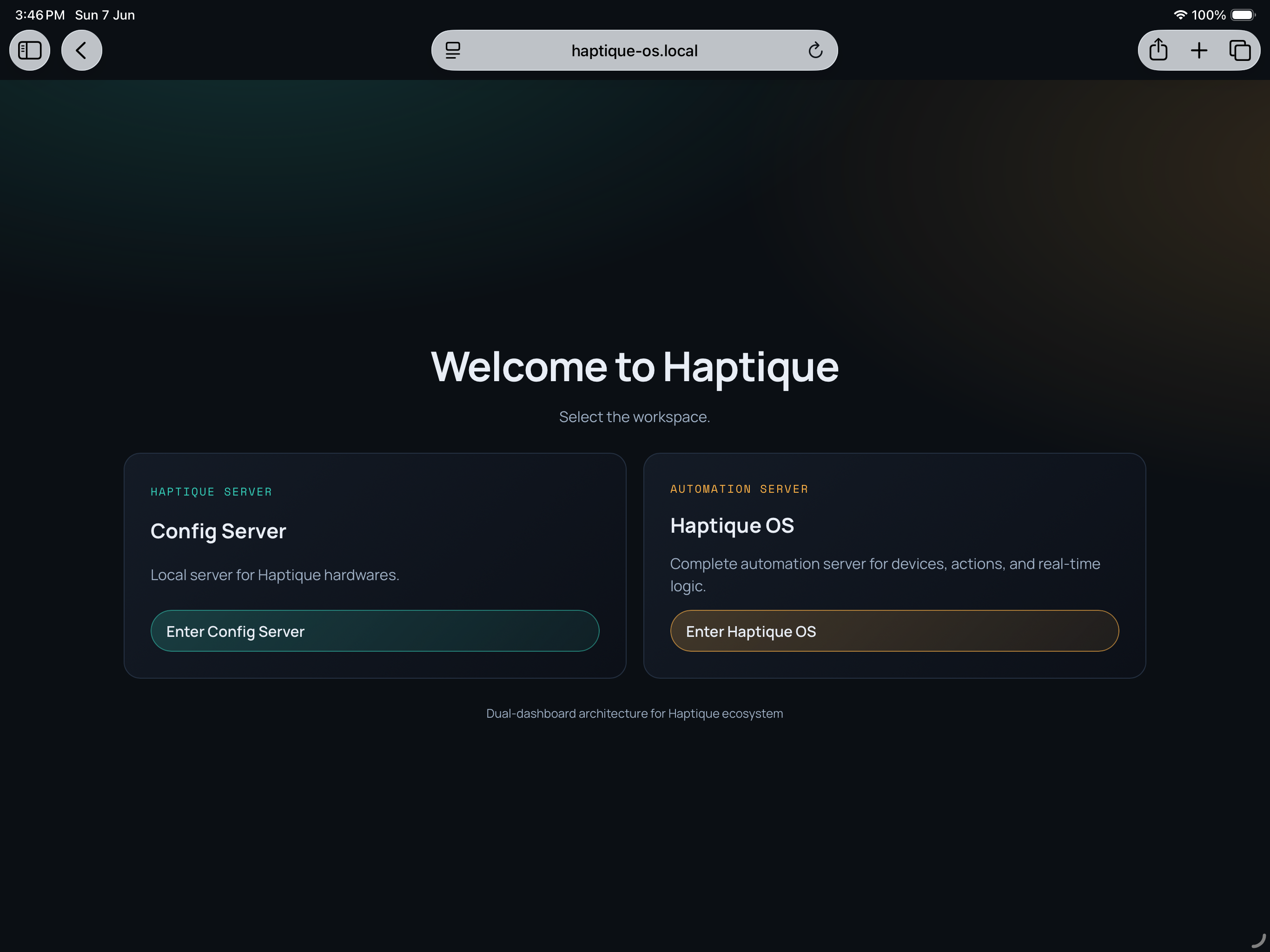
The HOS landing page has two workspaces. Use Config Server for RS90 configuration and pairing. Use Haptique OS for the local automation dashboard.
Use this path for the HOS dashboard, local devices, logical devices, integrations, spaces, scenes, and automation setup.
For RS90 pairing, both paths matter. Configure the home in HOS first, then pair RS90 through Config Server and Config App.
Config App server selection
Section titled “Config App server selection”Config App is the existing mobile app RS90 users already use to configure the remote. It is not the HOS dashboard and it is not a separate HOS mobile app. Before signing in or creating the local user, point Config App to the HOS server that RS90 will use.
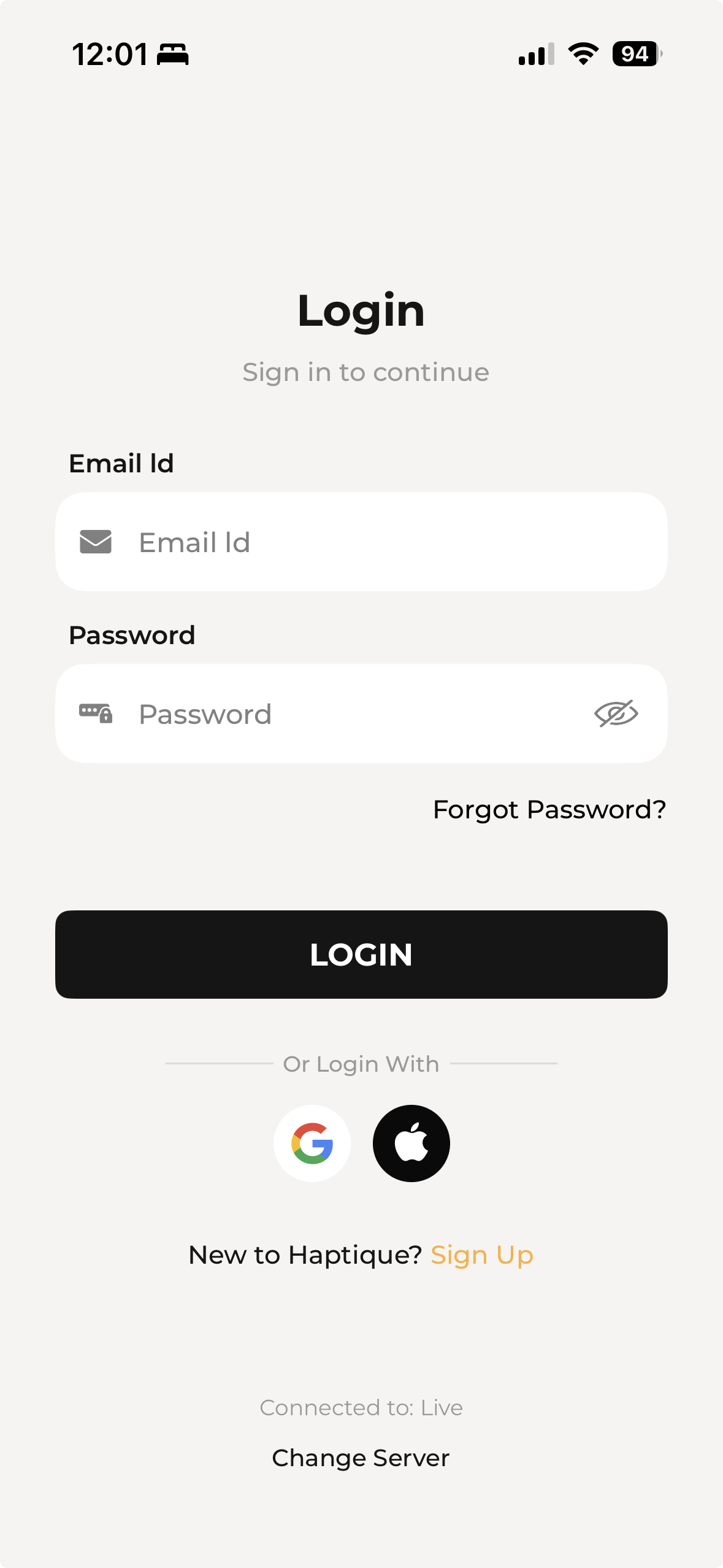
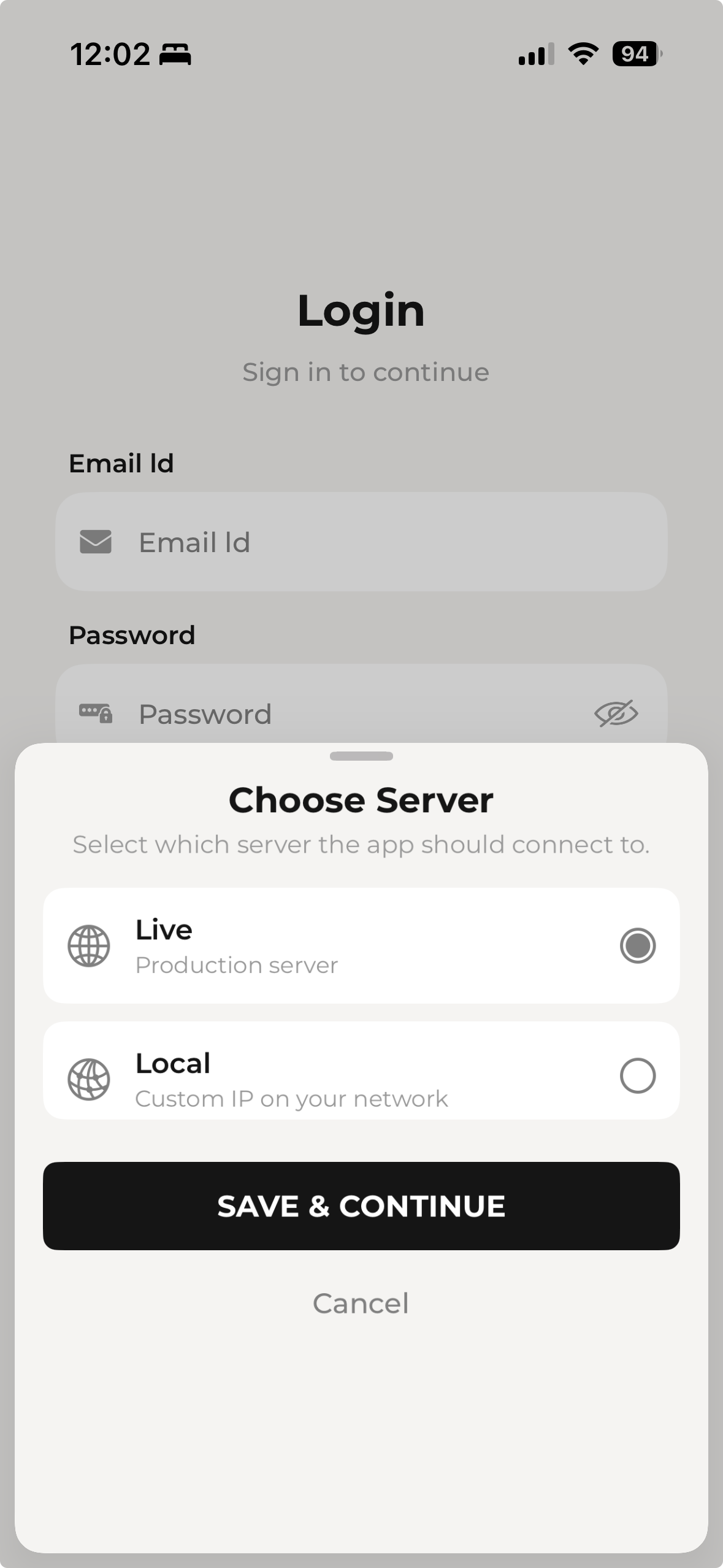
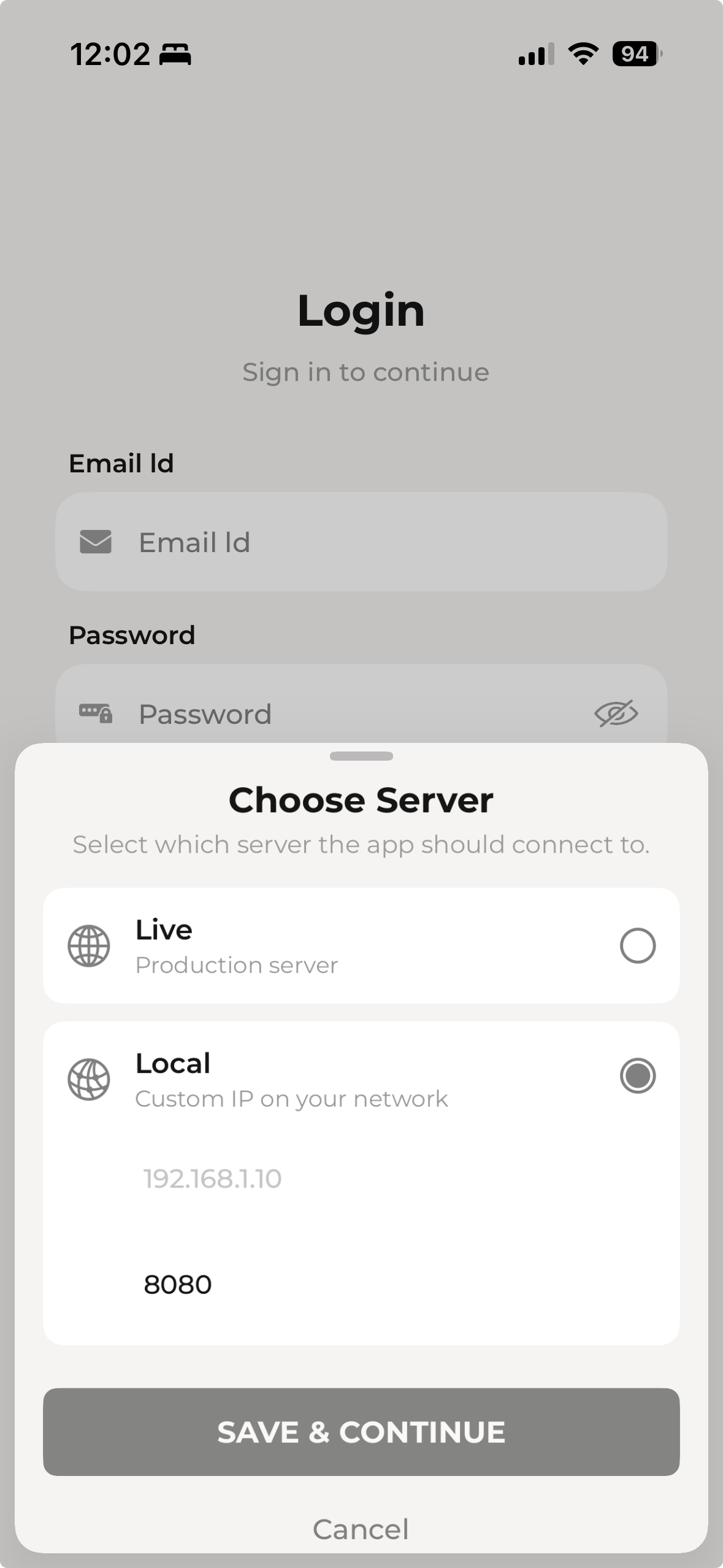
Before pairing
Section titled “Before pairing”- HOS is running and its local IP address is known.
- The phone or tablet running Config App can reach that server in a browser.
- RS90 is charged and powered on.
- Config App and RS90 are on the same network path as the HOS server.
- Guest Wi-Fi, isolated VLANs, VPNs, and firewall prompts are disabled or configured correctly.
- You are ready to create a local email and password user. Do not use Google or Apple sign-in for this local setup.
Pairing map
Section titled “Pairing map”- 1
Open HOS locally. Confirm the landing page loads at
haptique-os.local:8080,localhost:8080, or the HOS machine IP. - 2
Enter Config Server. This is the RS90 configuration workspace.
- 3
Point the existing RS90 Config App to Local. Use the same HOS IP and port that the RS90 will use.
- 4
Create the local user. Use email and password credentials on this HOS server.
- 5
Reset RS90 to setup. Generate a fresh QR code and change the RS90 server address.
- 6
Scan and confirm. Scan the QR code from Config App, enter the PIN, then test one real command.
Pairing flow
Section titled “Pairing flow”- Start HOS and confirm the local landing page opens.
- Choose Config Server from the landing page.
- Open the existing RS90 Config App from the App Store or Google Play Store.
- In Config App, change the server to the IP address of the running HOS server.
- Create a new local user in Config App with email and password credentials.
- Sign in to Config App with those credentials. Do not use Google or Apple sign-in for this local-server setup.
- Reset the RS90 so it shows a new QR code.
- On the RS90, choose Change Server and enter the same HOS server IP address used in Config App.
- When the RS90 is ready and shows its QR code, scan it from Config App.
- Enter the 4-digit PIN generated during pairing.
- Confirm Config App and RS90 show the paired connection.
- Test one room, one device, or one favorite from RS90.
RS90 setup screen
Section titled “RS90 setup screen”After Config App is pointed at the local HOS server, reset RS90 or return it to setup mode.
On RS90:
- Open Settings.
- Choose Reset, or return to the first setup screen.
- Wait for the setup screen and QR code.
- Choose Change Server.
- Enter the same local HOS server address used in Config App.
- Return to the QR code screen.
Use the numeric IP address if haptique-os.local does not resolve from RS90.
What to verify after pairing
Section titled “What to verify after pairing”Do not stop at the QR success screen. Prove the local path with one real action.
| Check | Expected result |
|---|---|
| Config App server | Shows the local HOS address or local mode. |
| RS90 server | Matches the Config App server address. |
| Local account | Uses email and password created on the HOS server. |
| Room or device list | Shows the local HOS project content. |
| First command | A real device, scene, or favorite responds. |
If the UI updates but the physical device does not respond, pairing succeeded but the device integration or command mapping still needs work.
If pairing fails
Section titled “If pairing fails”- Confirm HOS is still running.
- Confirm Config App and RS90 both use the same HOS server IP address.
- Confirm the Config App user was created locally with credentials.
- Confirm the phone can open
http://YOUR-HOS-IP:8080. - Confirm RS90 and the phone are not on guest Wi-Fi.
- Disable VPN while pairing.
- Reset RS90 again to generate a fresh QR code.
- Re-scan the QR code and enter the new 4-digit PIN.
Common mistakes
Section titled “Common mistakes”| Mistake | Fix |
|---|---|
Entering localhost on the phone | Use the HOS machine IP address instead. |
| Config App on cloud, RS90 on local | Change Config App to Local before signing in. |
| RS90 on old server address | Reset RS90 and use Change Server again. |
| Using Google or Apple sign-in | Create a local email and password user. |
| Guest Wi-Fi blocks pairing | Move HOS, phone, and RS90 to the main LAN. |